Initial Conditions
- Fragmented workflows
- Multiple disconnected applications
- Operational complexity
- Limited visibility across teams
- Outdated user experience, need for clearer pathways
Enterprise Application
Redesigned a unified enterprise platform that replaced fragmented tools, streamlined claims processing, and improved visibility across multiple business roles.
The Challenge
The company relied on multiple disconnected tools to manage claims, offers, payments, and customer programs. As the business grew, workflows became difficult to track, approvals took longer, and information was spread across different systems.
The challenge was to make operational work easier to understand and act on.
Initial Conditions
Understanding the System
The platform supported a complex business ecosystem involving distributors, retailers, growers, and internal teams.
Each user had different responsibilities, permissions, and approval authority.
To understand how work moved through the organization, I mapped user roles, access levels, business segments, and workflow relationships.
Key Complexity
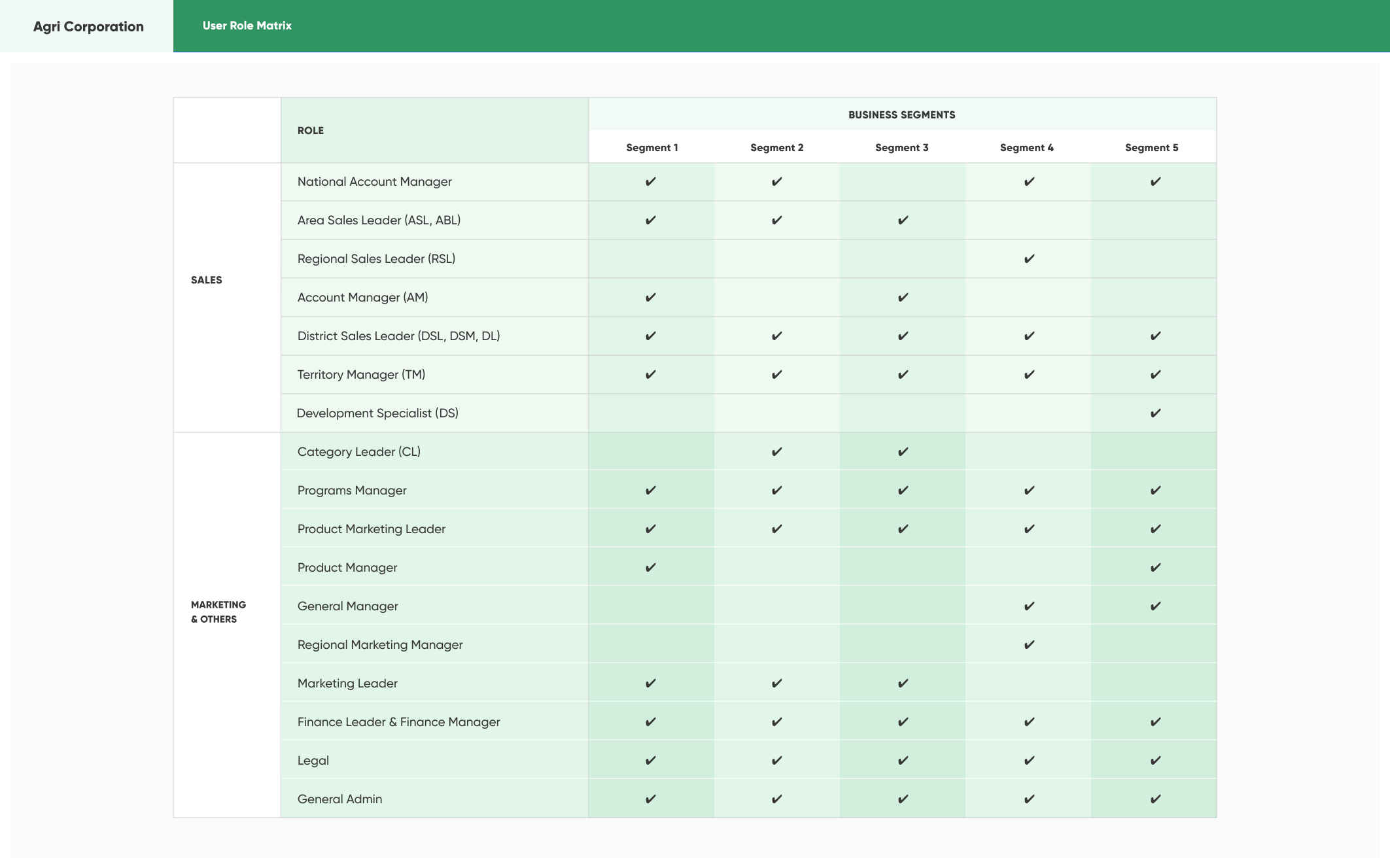
The matrix maps roles to business segments 1 through 5. A check mark indicates that the role applies to that segment.
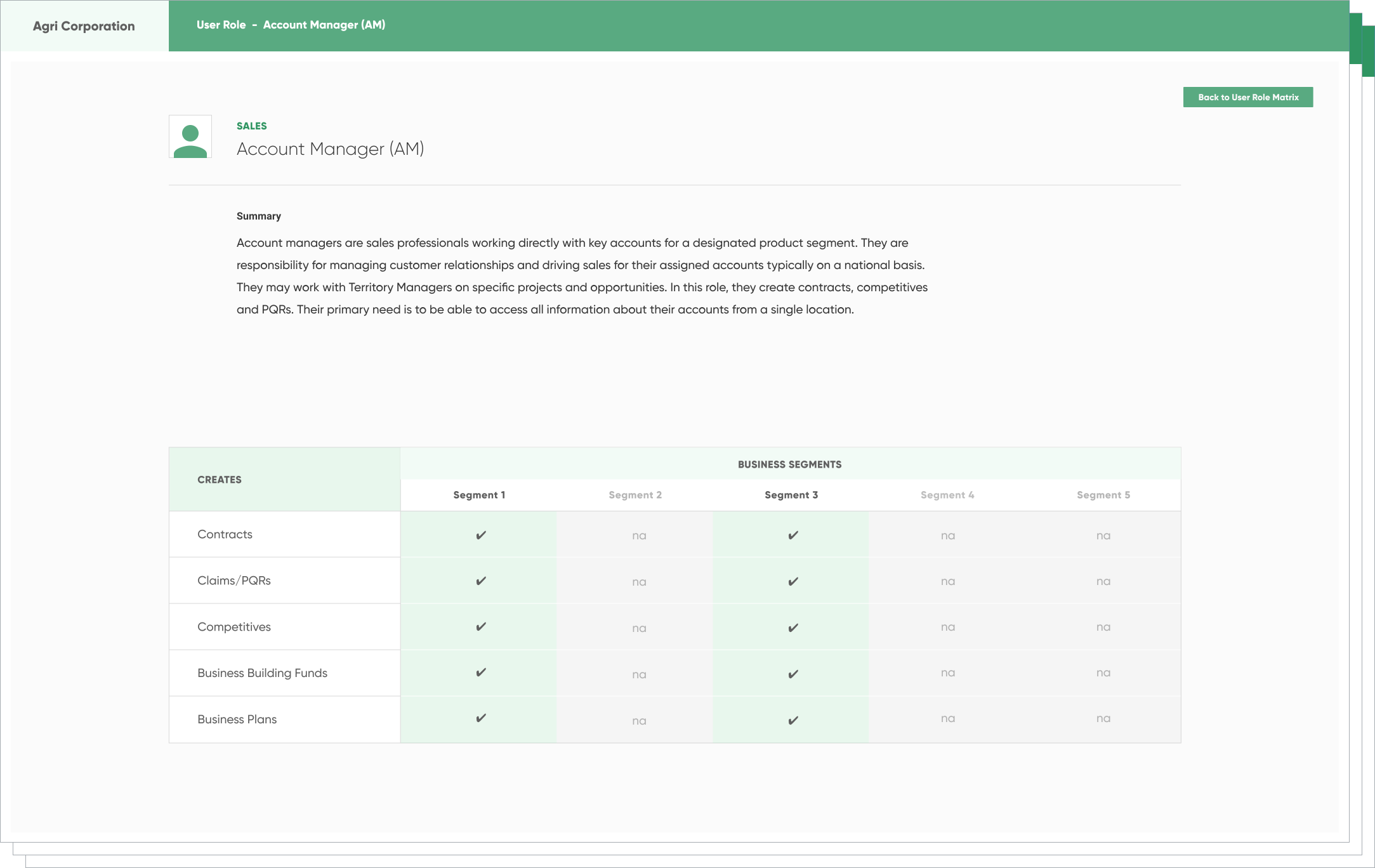
The example Account Manager is a sales professional working directly with key accounts for a designated product segment, managing customer relationships and sales, sometimes alongside Territory Managers. The role needs account information in one location. The permissions table allows creation of contracts, claims or PQRs, competitives, business building funds, and business plans in segments 1 and 3; segments 2, 4, and 5 are marked not applicable.
Designing the Structure
The deeper issue was not simply missing functionality. The system needed clearer relationships between information, workflow stages, user decisions, and operational outcomes.
We first created a clear structure for how information, workflows, and modules would connect. The goal was to make the system easier to navigate while supporting the complexity of the business.
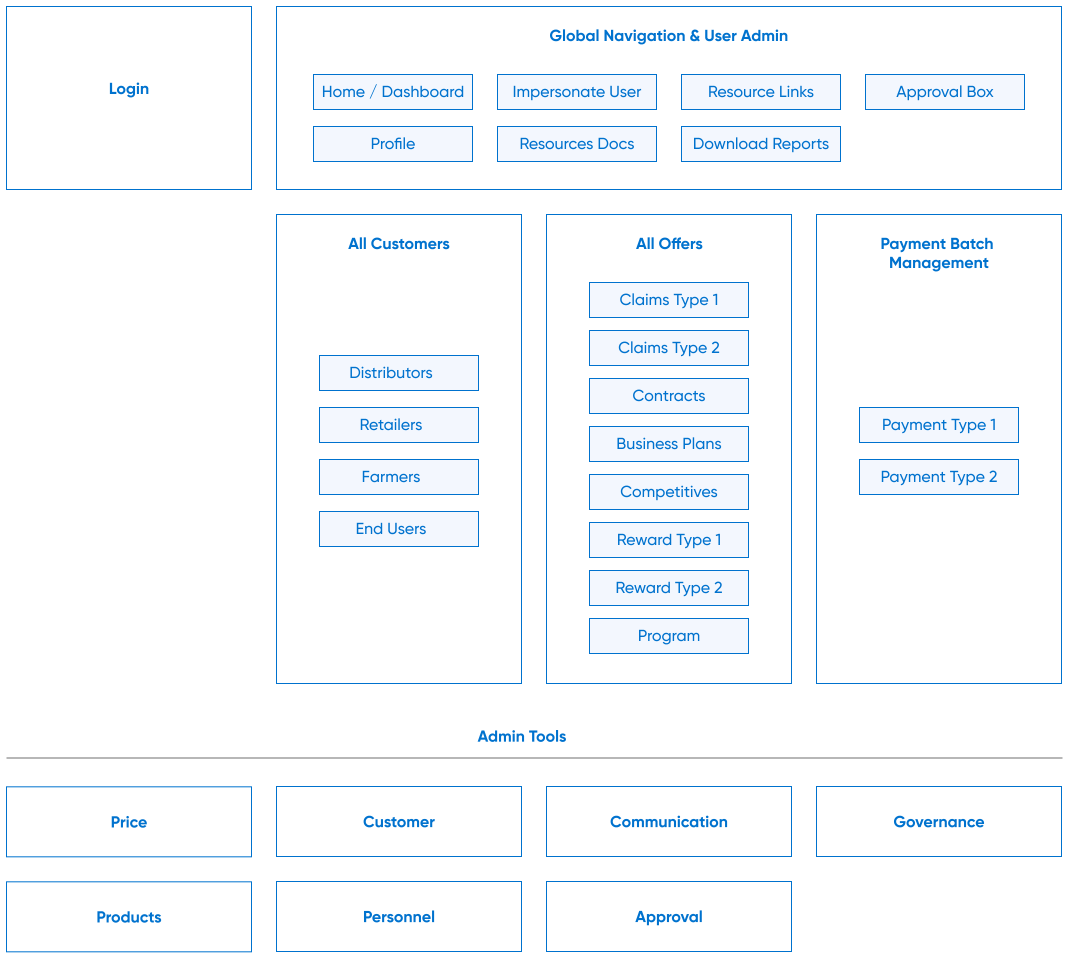
Login sits alongside global navigation and user administration: Home or Dashboard, Impersonate User, Resource Links, Approval Box, Profile, Resources Docs, and Download Reports.
Customer management groups distributors, retailers, farmers, and end users. Offers group claims types 1 and 2, contracts, business plans, competitives, reward types 1 and 2, and a program. Payment Batch Management contains payment types 1 and 2.
Administration tools cover price, customer, communication, governance, products, personnel, and approval.
Workflow
The design focused on clarifying structure: organizing information, simplifying pathways, making status visible, and creating interfaces, that helped users understand where they were and what action to take next.
One of the most critical workflows involved creating, reviewing, approving, and processing offers and claims. We simplified the process into a clear sequence that improved visibility and reduced friction between teams.
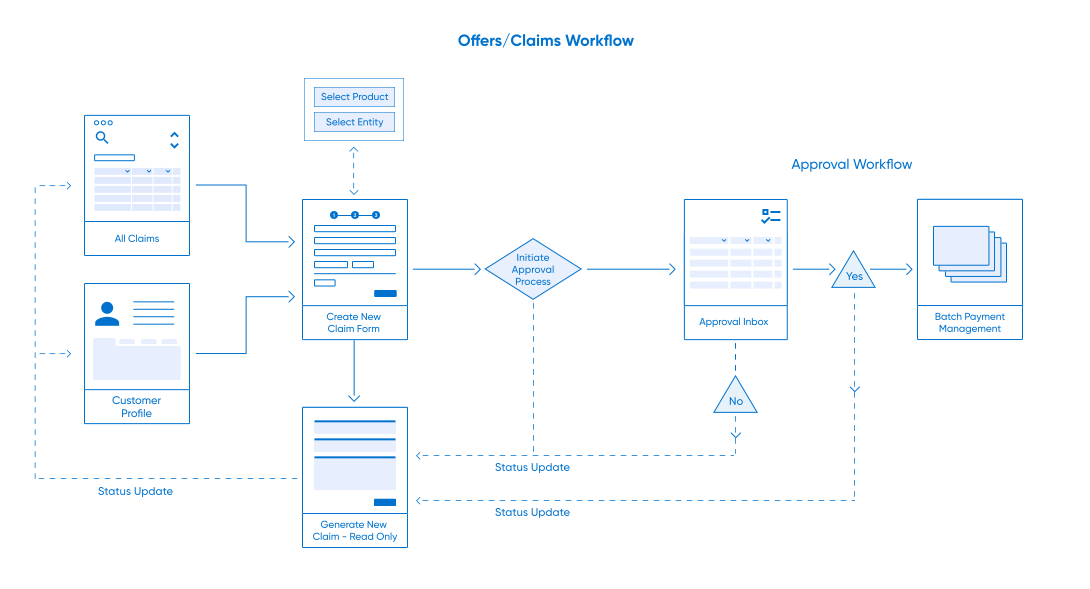
Users begin from All Claims or a Customer Profile and create a new claim form, selecting a product and entity. Creation generates a read-only claim. Initiating approval sends the claim to the Approval Inbox. The Yes path continues to Batch Payment Management; the No path returns a status update to the claim. Dashed status-update paths also connect the approval process and payment decision back to the claim and the originating views.
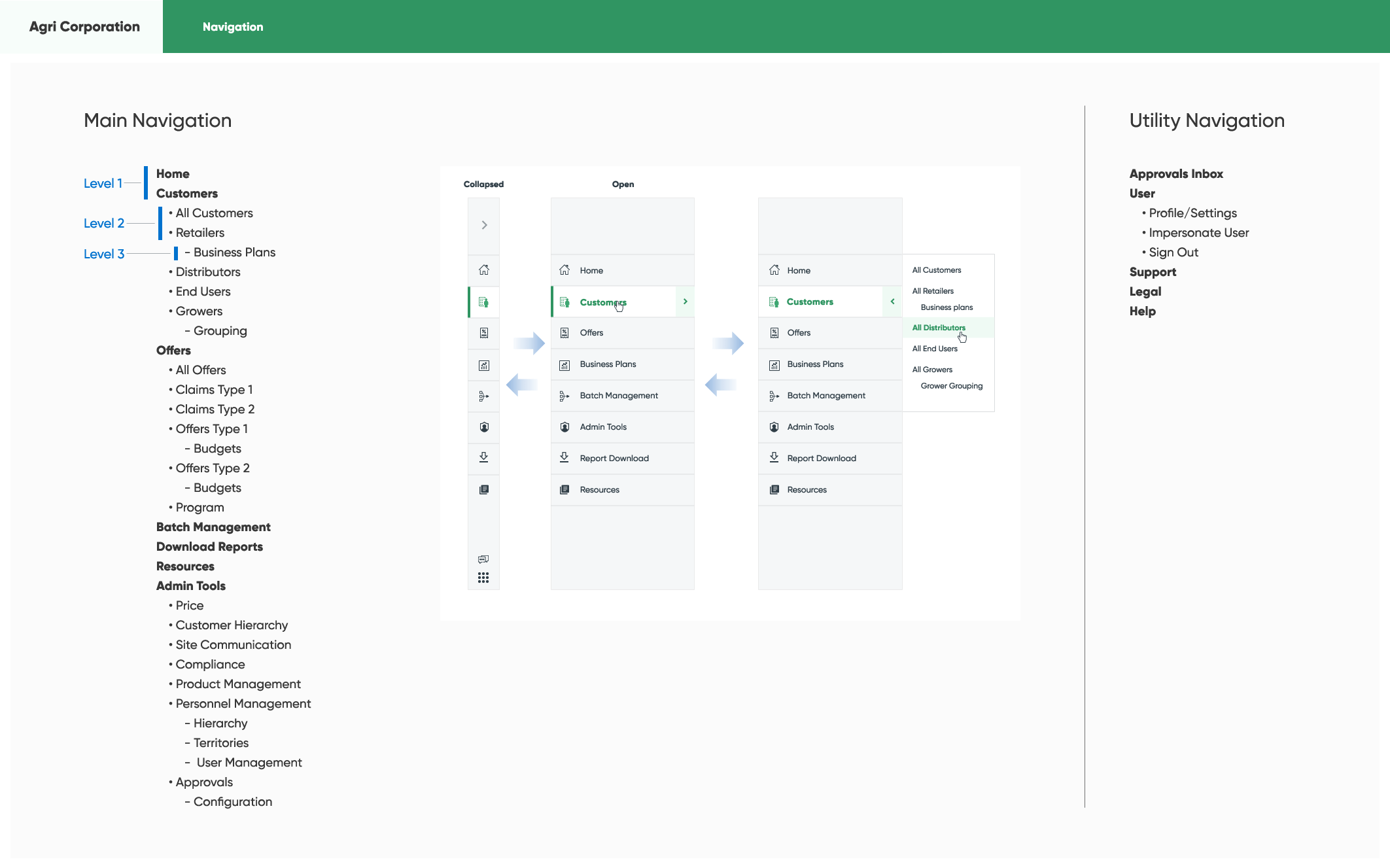
Interface and Design
With the platform structure defined, I collaborated on the interface patterns and UI system used across the application.
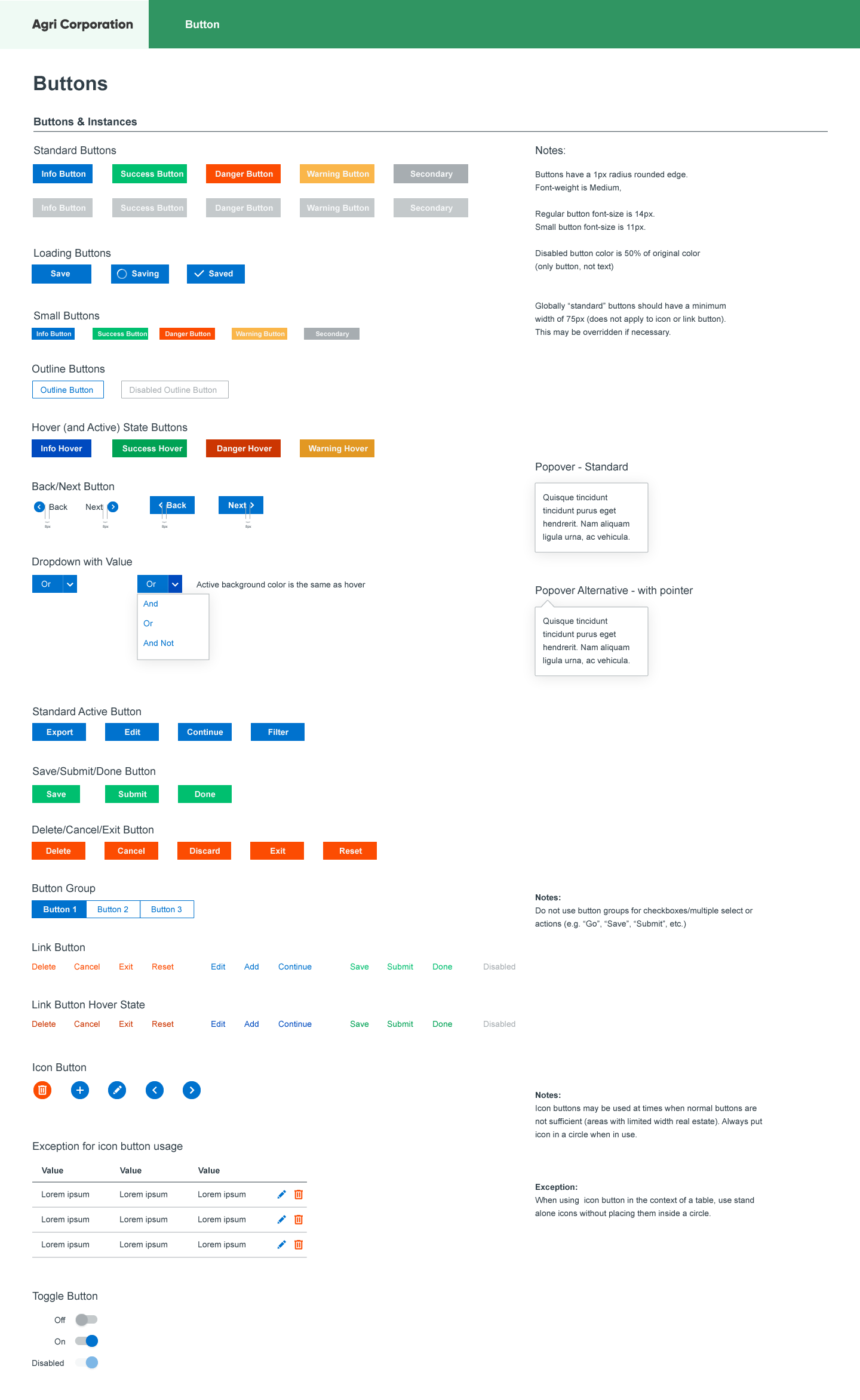
The focus was consistency, clarity, and efficiency for users managing large amounts of information every day.
Selected system design specs
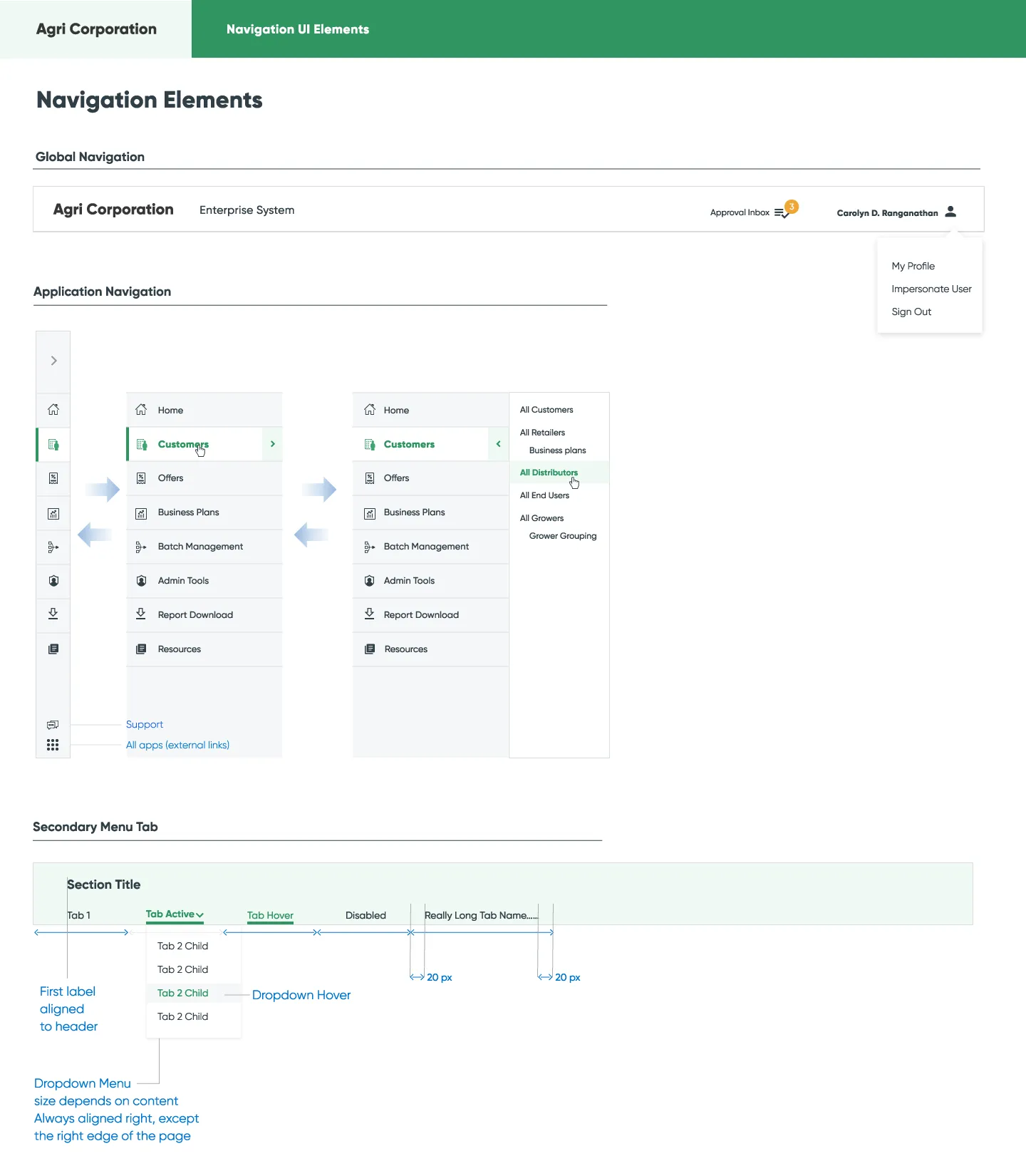
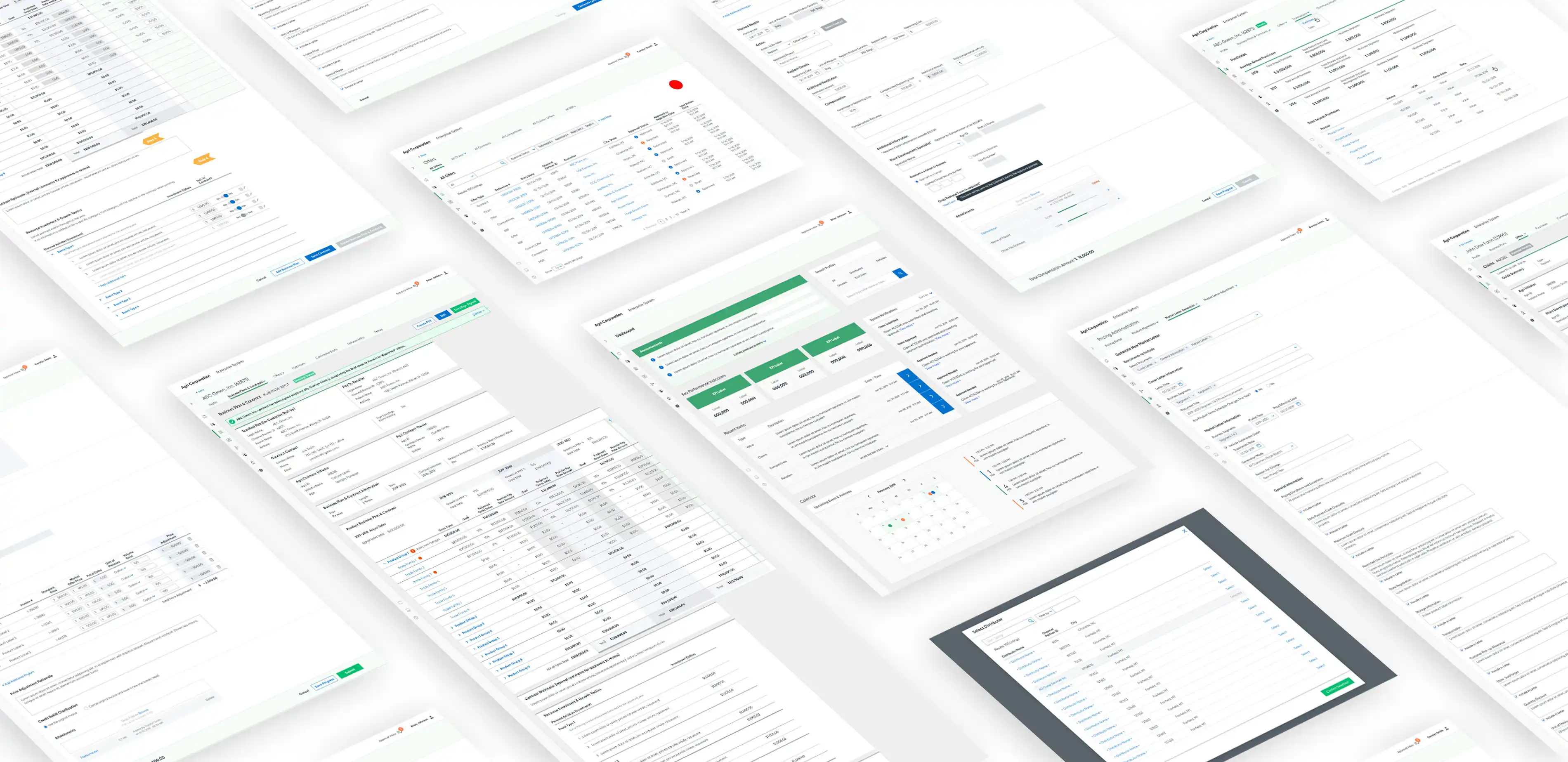
The final platform brought together previously disconnected workflows into a single operational system.
Outcome
The platform created a more unified experience for managing claims, approvals, and payments across the organization.
Insight
Enterprise systems often struggle when relationships between people, processes, and information become difficult to see.
This project reinforced that complexity itself is not the problem. The challenge is making the system understandable so people can move through it with confidence.
Start a Conversation
Tell me what you’re working on, what feels unclear, and where you hope to go. We can begin by making sense of it together.